
Download No Small Text – Firefox extension, increase font size, reading comfort, web accessibility, visual impairment, improve readability, text size adjustment, universal compatibility, user-friendly interface, minimize eye strain
Overview
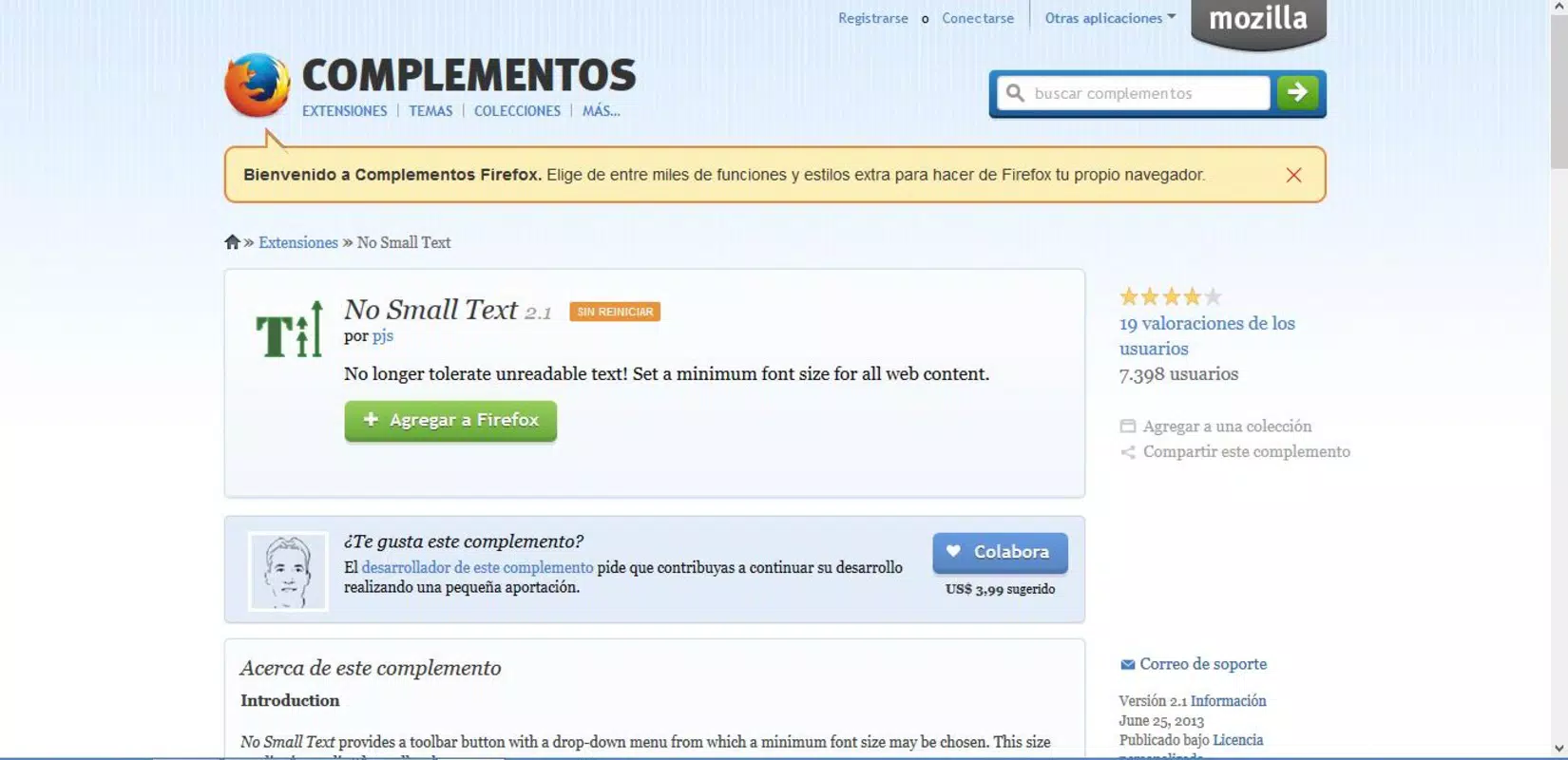
The Firefox extension No Small Text is designed to enhance reading comfort by allowing users to adjust text sizes across all websites they visit. It addresses the common challenge of small or illegible text, particularly on older or poorly optimized web pages. This tool is especially beneficial for individuals who experience difficulty reading standard font sizes due to visual strain or age-related vision changes. The extension operates as a universal accessibility solution, ensuring consistent readability regardless of the site’s original design.
Target users include frequent web browsers, digital readers, and individuals with visual impairments or low vision. The app serves as a practical utility for anyone seeking a more comfortable and inclusive browsing experience. By enforcing a minimum font size across all websites, it removes the need for manual zooming or browser-level adjustments, streamlining the reading process. Its long-standing presence in the Firefox ecosystem since 2013 highlights its reliability and sustained relevance in the accessibility space.
Developed by Eddie C. Reardon, the extension has maintained a focused purpose: improving text legibility without altering content structure. It functions as a lightweight, non-intrusive tool that enhances usability without compromising site functionality. Real-world applications include reading news articles, academic content, e-commerce product descriptions, and social media posts with greater clarity. In the broader app ecosystem, No Small Text fills a niche by offering a simple yet effective solution to a widespread issue—poorly sized text on the web.
Key Features & Functionality
- Adjustable Font Size: Users can increase the font size on any webpage instantly, ensuring that content remains legible even on sites with tiny default text. This feature is ideal for reading long-form articles or navigating dense web content without eye fatigue.
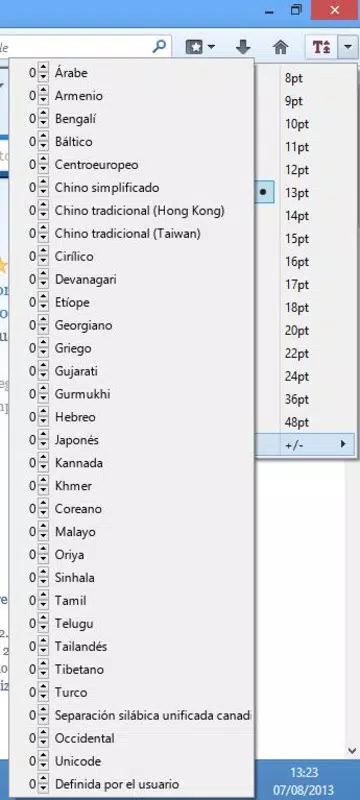
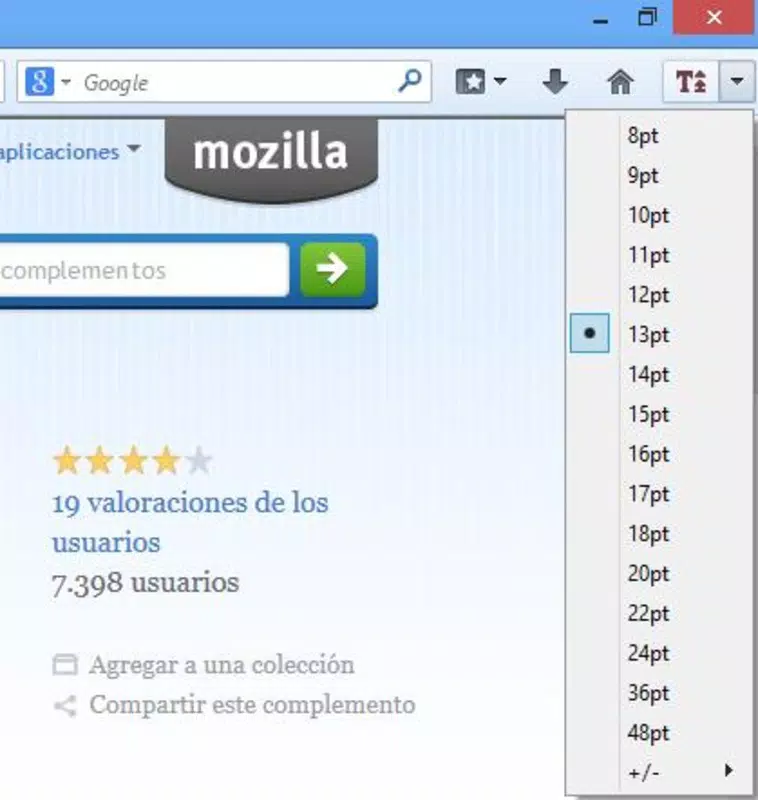
- Minimum Font Size Setting: A core functionality allows users to set a baseline font size that is automatically applied to any text smaller than the specified threshold. This ensures consistent readability across all websites, regardless of original design.
- Universal Compatibility: The extension works seamlessly on all websites accessed through Mozilla Firefox, making it a reliable tool for consistent use across diverse online environments.
- User-Friendly Interface: With minimal setup and intuitive controls, users can configure their preferred settings in seconds. The interface is designed for accessibility, allowing quick adjustments without technical knowledge.
- Optimized Reading Experience: By standardizing text size, the extension reduces cognitive load and eye strain, creating a more enjoyable and efficient browsing session, particularly during prolonged use.
For example, a user reading a research paper on a university website with 10px text can instantly adjust it to 16px or higher. Similarly, someone reviewing product details on a retail site with cramped font sizes can benefit from automatic scaling. These real-world scenarios demonstrate how the tool enhances usability across a wide range of digital content.
Interface, UX & Performance
No Small Text features a minimal, streamlined interface that integrates directly into the Firefox browser environment. The extension operates in the background, requiring no constant user interaction once configured. Navigation is straightforward, with settings accessible via the browser’s add-ons menu, ensuring that users can adjust preferences without disrupting their workflow.
The visual style is clean and functional, prioritizing usability over aesthetics. There are no distracting elements or pop-ups, maintaining a distraction-free reading experience. The extension responds quickly to user inputs, with font adjustments applying in real time across all loaded pages.
Although the developer did not list formal performance metrics, the extension’s lightweight design—only 114KB in size—suggests minimal impact on browser speed and memory usage. It is optimized for efficiency, making it suitable for use on older or lower-end devices. Responsiveness is maintained across different screen sizes and resolutions, ensuring consistent performance on desktops and laptops.
Stability appears to be a strength, given the extension’s long-standing availability and lack of reported issues. Users can expect reliable operation without crashes or conflicts with other browser tools. The lack of resource-heavy processes supports smooth browsing, even during extended sessions.
Platform Compatibility & Technical Requirements
No Small Text is available exclusively for Mozilla Firefox, making it compatible with desktop operating systems such as Windows, macOS, and Linux. The extension is designed to function within the Firefox browser environment, leveraging its add-on architecture for seamless integration.
The current version is 1.3.1, with a file size of 114KB, indicating a lightweight footprint. This small size contributes to quick installation and minimal storage usage. The developer did not specify minimum OS requirements, so compatibility may vary across older or newer Firefox versions.
Although the developer did not provide detailed compatibility information, the extension has been available since 2013, suggesting it supports a wide range of Firefox releases. Users are encouraged to check the Firefox Add-ons website for the most up-to-date compatibility details.
Pros and Cons
- Lightweight design with minimal system impact
- Universal compatibility across all Firefox websites
- Simple, intuitive interface for quick setup
- Effective in reducing eye strain during long reading sessions
- Free to download and use with no in-app purchases
- Available only for Firefox, not other browsers
- Does not offer advanced customization options like font type or color
- Requires manual configuration for initial setup
- May interfere with site-specific text styling in rare cases
- Updates may not be frequent due to low development activity
FAQ
Is No Small Text safe to install?
Yes, the extension is developed by a verified author and distributed through the official Firefox Add-ons platform. It does not collect personal data or install additional software.
Can I use No Small Text on mobile browsers?
No, the extension is designed exclusively for desktop versions of Mozilla Firefox and is not available for mobile platforms.
Does No Small Text affect website functionality?
No, the extension only modifies text size and does not alter page structure, links, or interactive elements. It operates solely on visual rendering.
How do I update No Small Text?
Updates are managed automatically through the Firefox Add-ons manager. Users will be notified when a new version is available.
Is there a premium version of No Small Text?
No, the extension is completely free and does not offer any paid features or subscriptions.
Final Thoughts
No Small Text delivers a focused, reliable solution for improving web readability. Its ability to enforce a minimum font size across all websites makes it an essential tool for anyone who struggles with small text. While it lacks advanced customization, its simplicity is its strength—offering immediate benefits without complexity.
Users who spend significant time reading online, particularly those with visual impairments or age-related vision challenges, will find the extension invaluable. It enhances accessibility and promotes inclusive design by empowering users to control their reading environment.
With a lightweight footprint, universal compatibility, and a proven track record since 2013, No Small Text remains a trusted utility in the Firefox ecosystem. For those seeking a straightforward way to reduce eye strain and improve reading comfort, this extension is a must-have.
Download No Small Text now


